
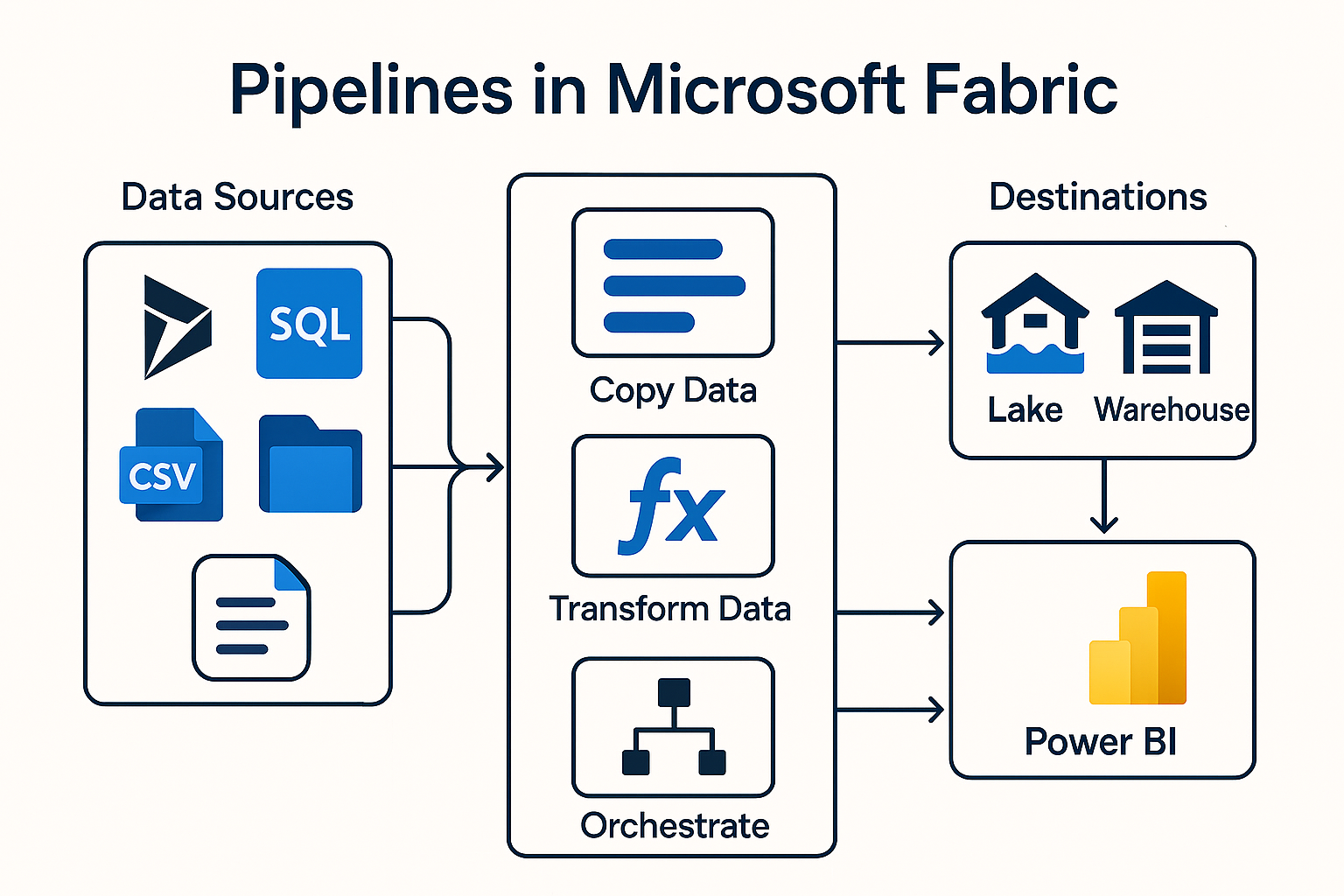
With Microsoft Fabric Microsoft has created a standardized, modern data platform that combines analysis, data integration, governance and AI in one place. A central element of this is the Fabric Pipelines - the heart of automated data processes.
Especially for companies that work with Microsoft Dynamics NAV, Navision or Dynamics 365 Business Central pipelines open up new possibilities: from simple loading of operational data to incremental updates and fully automated end-to-end data processes.
In this article, you will learn in an understandable and practical way how fabric pipelines work - and why they are an ideal tool for Dynamics data.
What is a pipeline in Microsoft Fabric?
One Pipeline is an automated workflow that moves, processes or transforms data between systems. It consists of a series of activities that are executed in a specific sequence.
Typical activities are
- Copy Activity - Transfers data from a source to a target (e.g. from Business Central to a lakehouse).
- Dataflow Gen2 - Transforms data in a similar way to Power Query.
- Notebook Activity - Execute Spark code, e.g. with Python.
- Procedural steps - Loops, conditions, triggers.
Internal documents emphasize the central role of pipelines for data orchestration, especially when copying data and monitoring across execution.
How is a pipeline constructed?
A pipeline consists of these core components:
1. activities (Activities)
These are the actual work steps. Each activity performs a defined task - similar to tasks in SSIS or workflows in Azure Data Factory.
2. connected services (Connections)
Connections to data sources such as:
- Dynamics 365 Business Central
- Azure SQL
- Data Lakehouse
- Excel/CSV files from NAV/BC exports
3. data paths (Data Paths)
They define how data flows from A to B.
4. monitoring & logging
Fabric offers integrated monitoring with success/failure status, duration and pipeline history.
This is also emphasized in internal documents, in particular the „Run and Monitor“ concept.
How does a typical pipeline process work?
Here is an example of a typical data integration from Business Central (BC):
Step 1 - Create pipeline
A new pipeline is created in the Fabric Data Factory area (as mentioned internally: selection in the workspace, create pipeline).
Step 2 - Define data source
Business Central allows access via:
- OData endpoints
- API pages
- Custom extensions
- Export files (e.g. .csv, .xlsx) - often used in NAV or old Navision systems
Step 3 - Configure Copy Activity
The Copy Activity is used to transfer data from the source to the Fabric Lakehouse or Warehouse.
For example, the following can be transferred:
- Customers
- Article (Item)
- Bookings (ledger entries)
- Sales documents (sales headers/lines)
Step 4 - Integrate transformations (optional)
This is where dataflows or notebooks come into play.
Examples:
- Mapping of legacy NAV structures to BC structures
- Cleanup of duplicates
- Structure of a star chart (Staging → Silver → Gold)
An internal discussion explicitly describes this medallion model (bronze/silver/gold).
Step 5 - Execute & monitor pipeline
The pipeline is started and monitored in the „Output“ tab. Successful runs generate new files in the lakehouse, for example, as internal documentation shows.
Pipelines in Microsoft Fabric are a powerful tool for all companies that want to move, cleanse and transform data automatically. Especially for organizations that work with Microsoft Dynamics NAV, Navision or Business Central work, they offer:
- Reliable automation
- Flexible data sources
- Powerful transformations
- Transparent monitoring
- Seamless integration with Power BI
This makes pipelines an essential building block for modern data architectures - whether for a new BC project, a migration or the integration of historical NAV data.
Do you have any questions or would you like to find out more about our methods? Get in touch with us - We show you how you can use your data for sustainable success.