
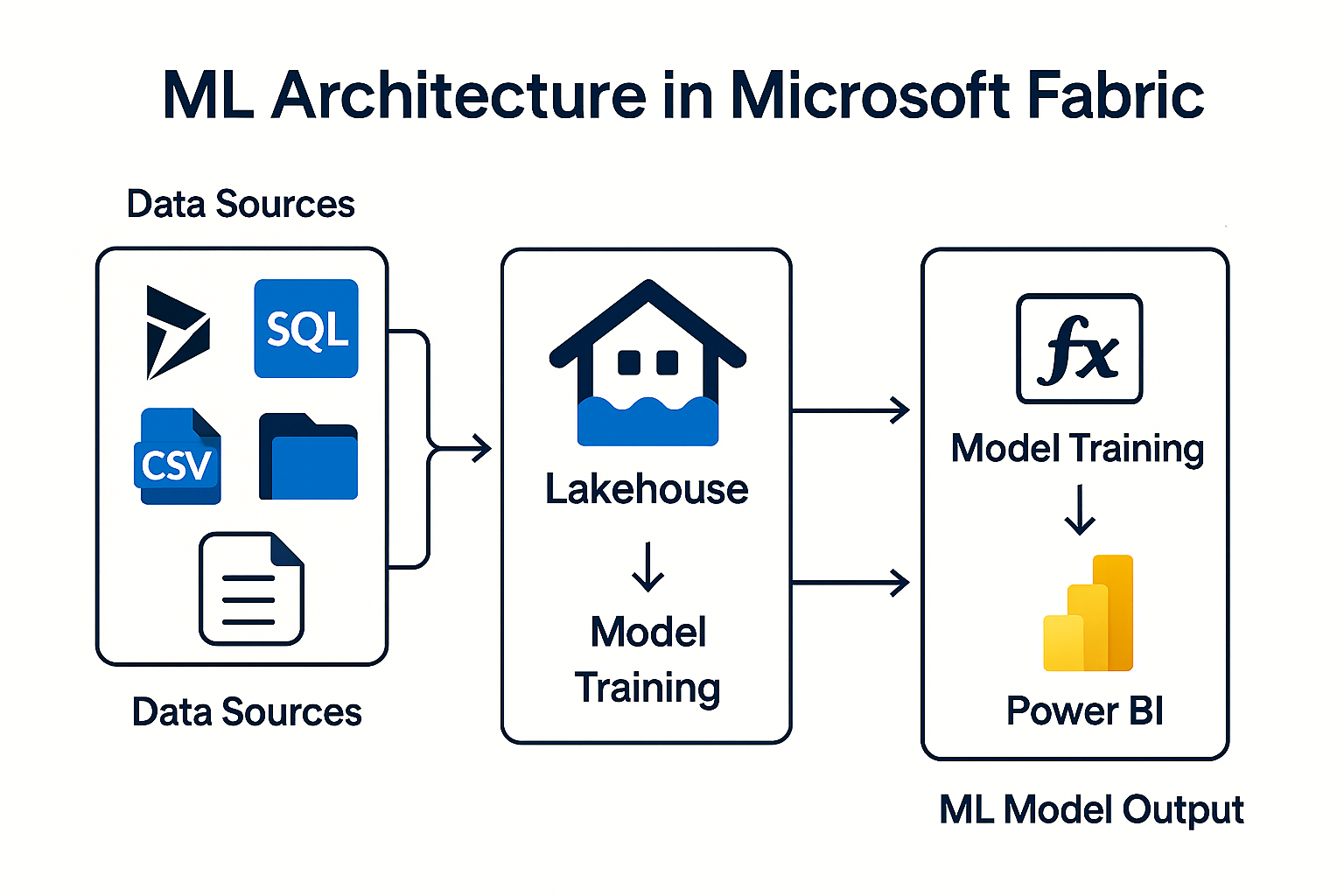
Microsoft Fabric creates a standardized platform for data integration, analysis, data engineering and data science. An outstanding building block in this: Machine Learning (ML) - seamlessly integrated, fully orchestrable and ideally suited to intelligently analyze data from Microsoft Dynamics NAV, Navision and Business Central.
Internally, your projects use ML models for churn prevention, forecasting, scoring pipelines and automation, for example. ML models are generated via notebooks, pipelines or AutoML and managed via MLflow.
ML models are also mentioned as a central component of the fabric architecture in the project handover.
What is an ML model in Microsoft Fabric?
An ML model is a trained mathematical structure that recognizes patterns in data and makes predictions - e.g:
- Churn probability of a customer in Navision/NAV
- Probability of payment or credit limit in Business Central
- Article demand forecasts from BC-Sales Ledger
- Lead quality or campaign behavior
Fabric integrates these models as first-class artifacts in the data science experience:
- they run in notebooks,
- are controlled by pipelines,
- save their results in the Lakehouse,
- are monitored and versioned via MLflow.
How does ML work technically in Fabric?
1. data preparation in Lakehouse or Warehouse
Data sources can be:
- BC data (OData, API, mirroring)
- NAV exports (CSV, Excel)
- Navision legacy systems
- Dataverse data
2. model training - notebook or AutoML
Fabric offers two ways:
a) Model training via notebook
Notebooks contain Python or PySpark code and can:
- Create features
- Train models
- Save models
- Perform scoring after loading new data
This orchestrated combination is described in several of your files:
A notebook can be executed directly after a pipeline load and then write predictions to the lakehouse.
b) AutoML - Create model with a click
The internal documentation shows that AutoML:
- offers a wizard with 6 steps (data source, data selection, model purpose, training data, details, review)
- automatically generates a complete notebook
- FLAML („Fast Lightweight AutoML“) used in the background
- Saves models & metrics automatically in MLflow
This allows ML models to be set up without in-depth data science knowledge.
3. model management - MLflow
Fabric uses MLflow to:
- Save model versions
- Document parameters & hyperparameters
- Track training metrics
- make models reproducible
The internal documentation confirms that AutoML automatically saves outputs and models in MLflow
4. operationalization - using models productivelyML models become productive by embedding them in pipelines.
Usual sequence:
- Pipeline loads new BC or NAV data
- Notebook performs scoring (e.g. „Calculate churn risk“)
- Result is saved in the Lakehouse
- Power BI shows the result in the dashboard
The data science architecture in your documents describes exactly this pattern.
5. use in Power BI
After scoring, results end up in:
- Lakehouse (Delta Tables)
- Warehouse (tables)
Power BI can handle this data:
- Connect directly as datasets
- Display in reports as KPI, forecast or segmentation
This creates a real Closed loop between ML and business intelligence.
Machine Learning in Microsoft Fabric is:
- simpler (AutoML, no-code approaches),
- more scalable (Spark clusters, pipelines),
- integrated (OneLake + Power BI),
- and ideal for NAV, Navision & Business Central.
Whether it's churn models, forecasting, liquidity planning or campaign optimization - Fabric delivers everything from a single source:
Data → Model → Scoring → Reporting → Business Impact.
Do you have any questions or would you like to find out more about our methods? Get in touch with us - We show you how you can use your data for sustainable success.